The AI notebook made for college

Take notes while you record. rozeta handles transcripts, explanations, translations and quizzes.

App Store 4.7Google Play 5.0

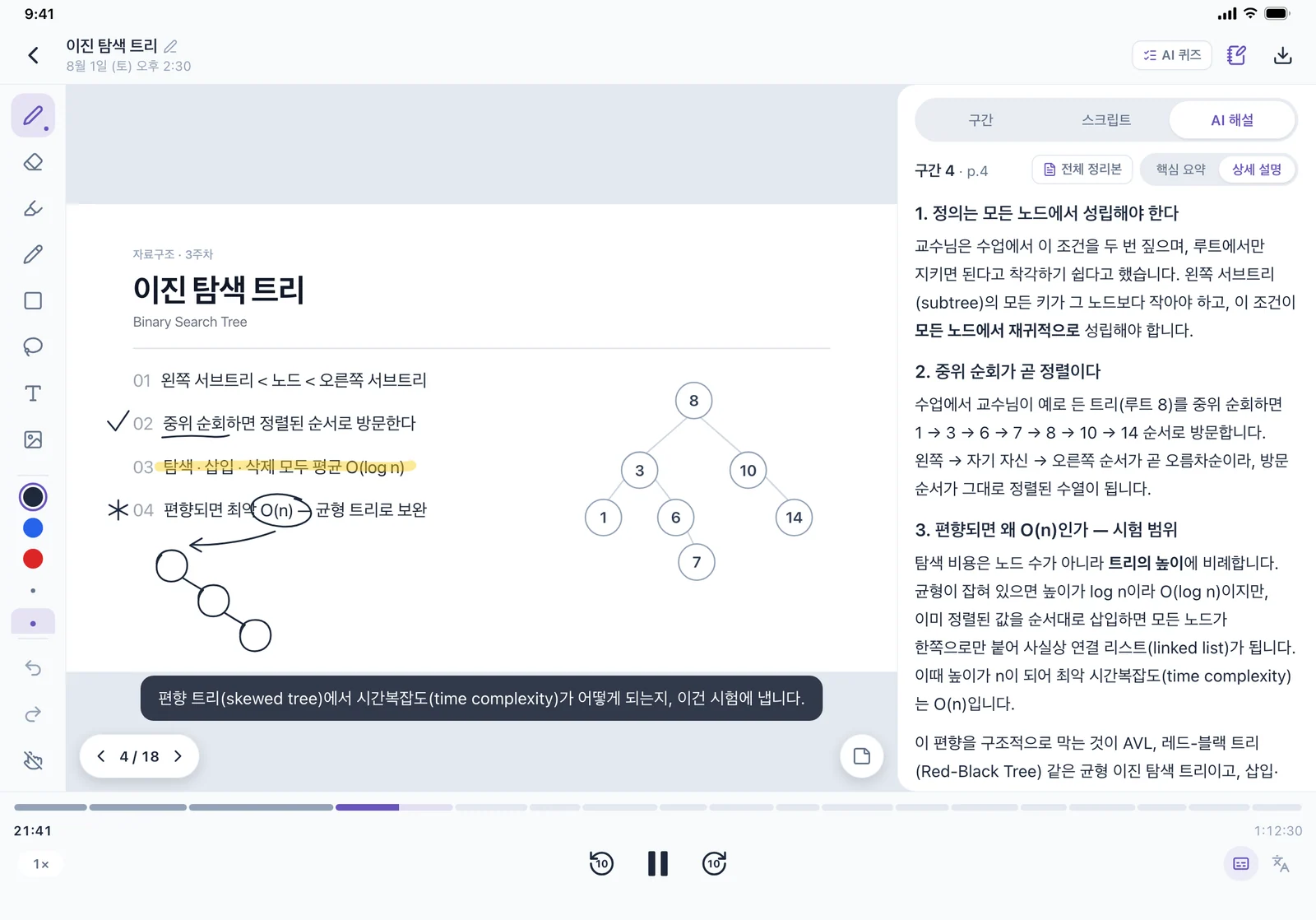
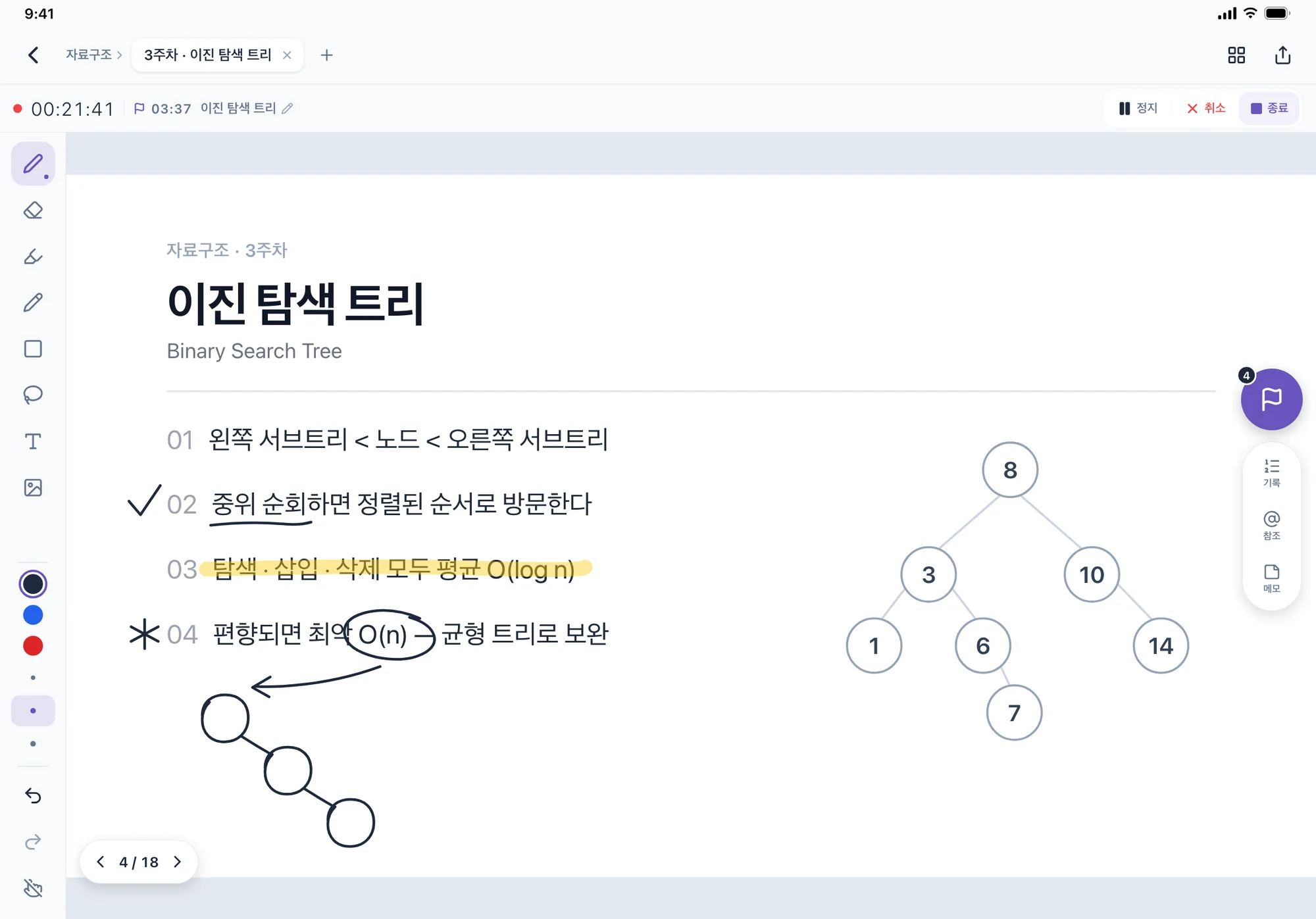
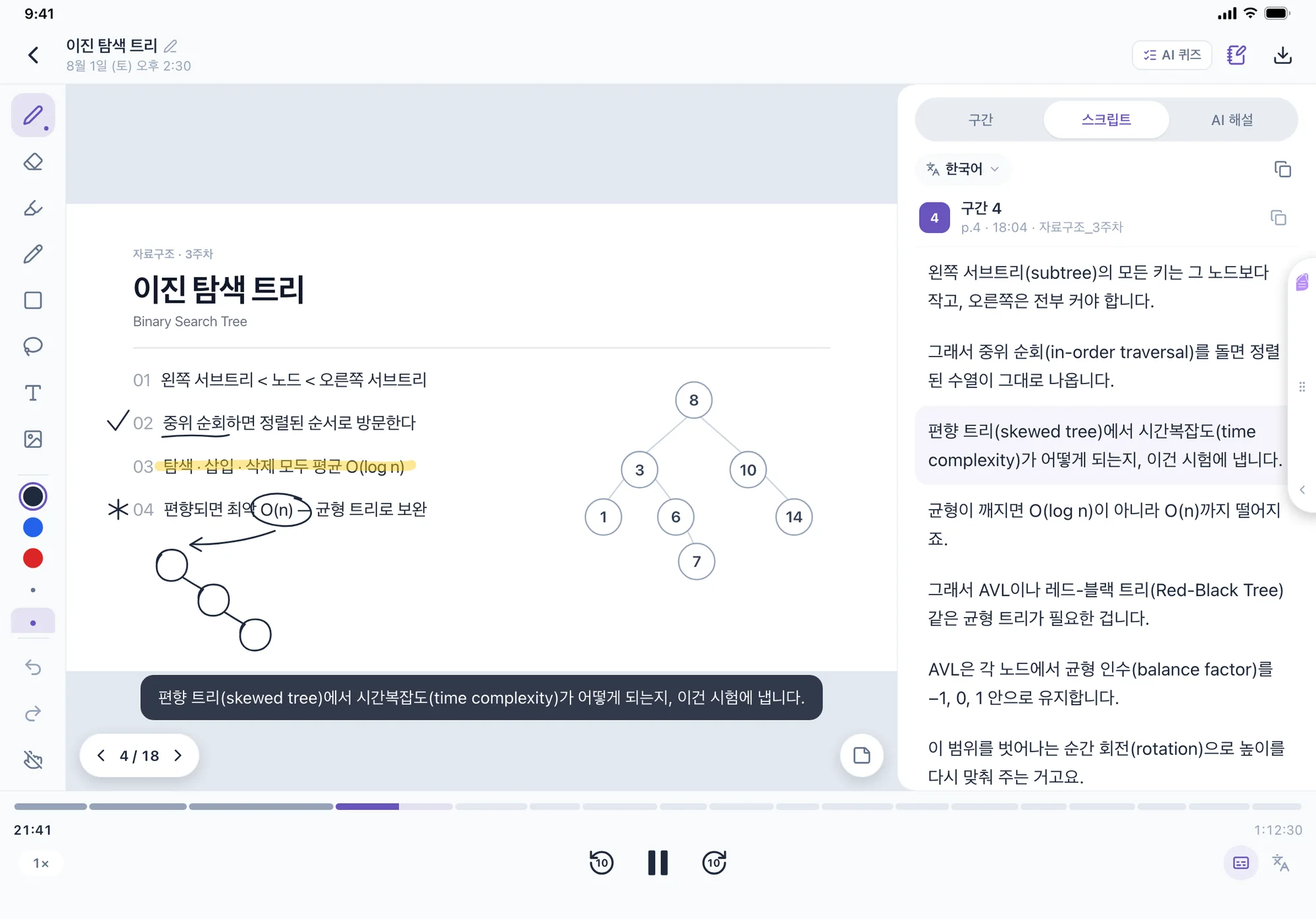
The rozeta recording screen on iPad. Live captions appear under the annotated “Binary search tree” slide, the Transcript tab on the right shows the lecture, and the playback bar at the bottom is split into segments.
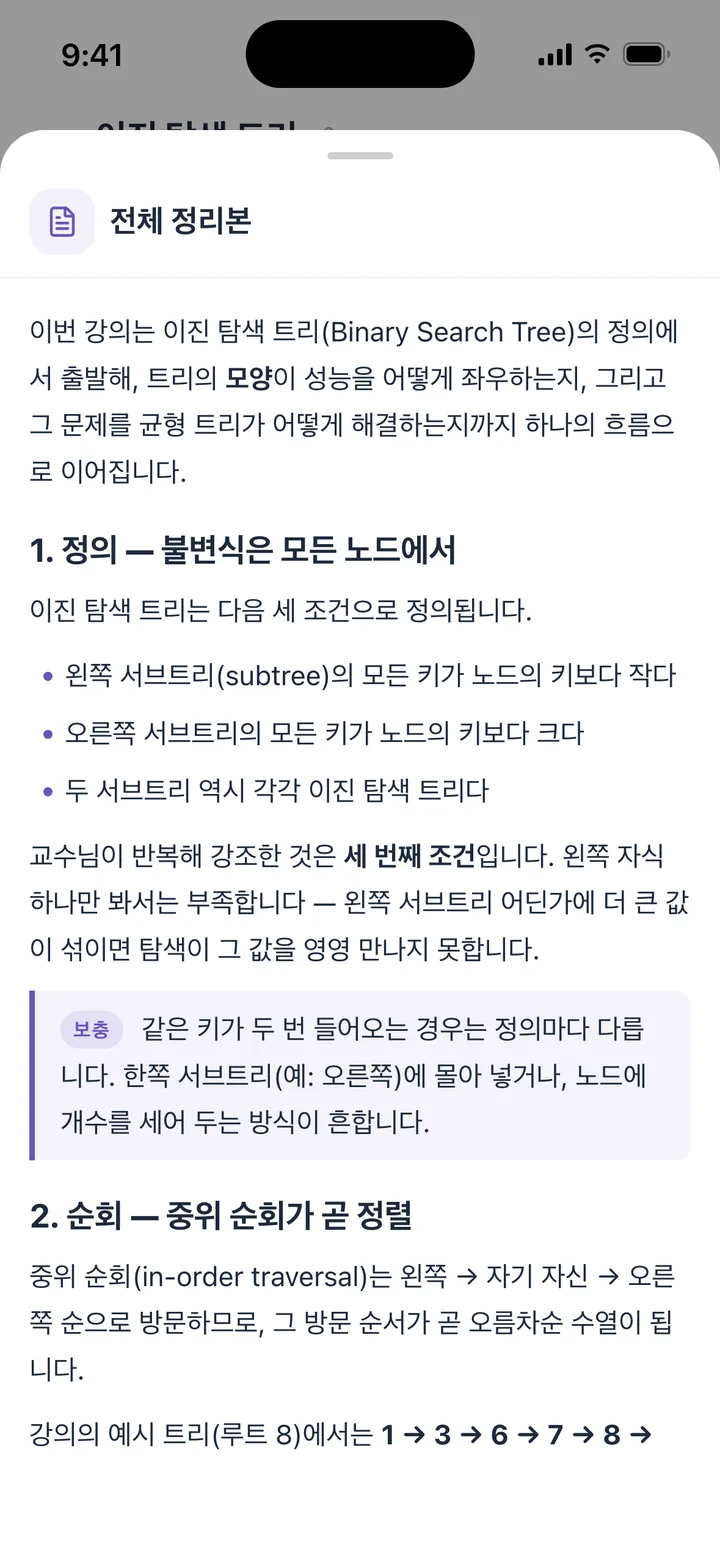
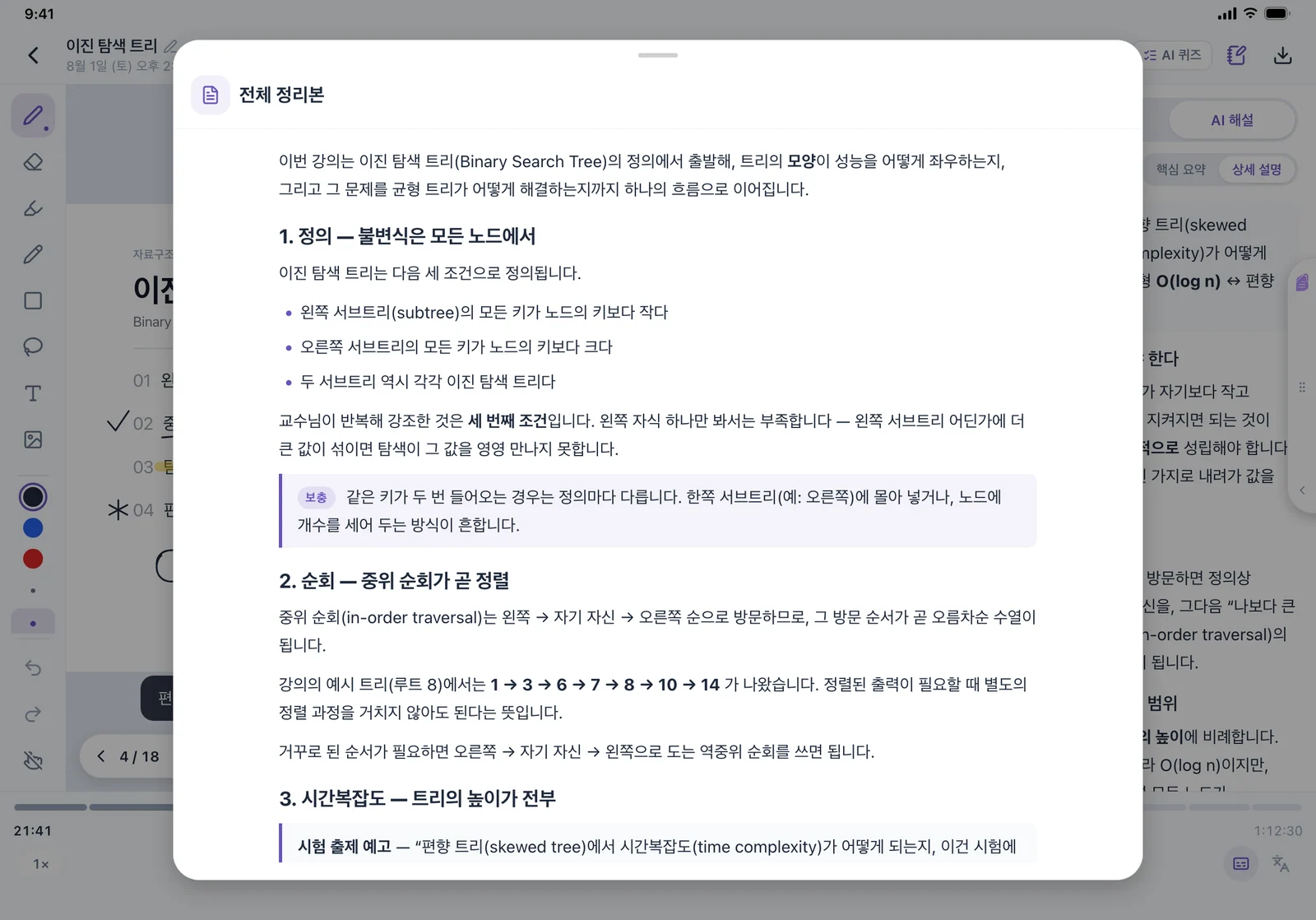
The rozeta Overview on iPhone. A summary of how the lecture flowed is followed by numbered sections such as “1. Definition: the invariant holds at every node” and “2. Traversal: in-order traversal gives sorted order”, along with the conditions the professor stressed and extra explanations.

Used by students at
Korea's top universities

  • Seoul National University
  • Yonsei University
  • Korea University

Slides and audio,
in sync

Tap Mark when the slide changes as you take notes. The audio you just heard is linked to that page, and your notes move to the next one. When you review, tap a page to hear that part of the lecture.

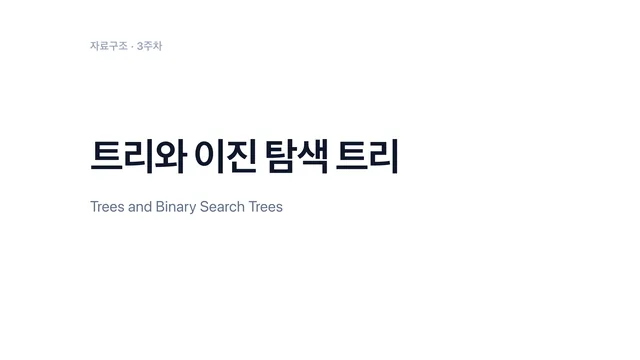
  1. Page 1, title slide for trees and binary search trees

    p.14:12

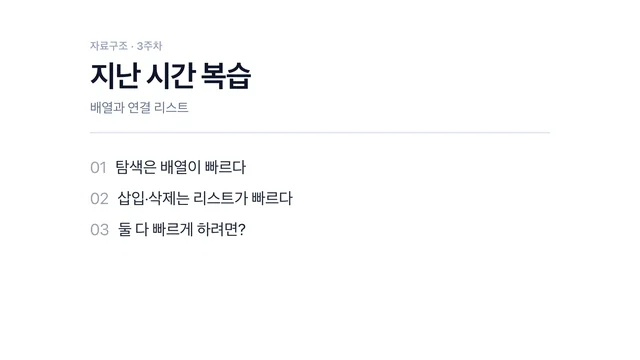
  2. Page 2, review of the last class

    p.25:38

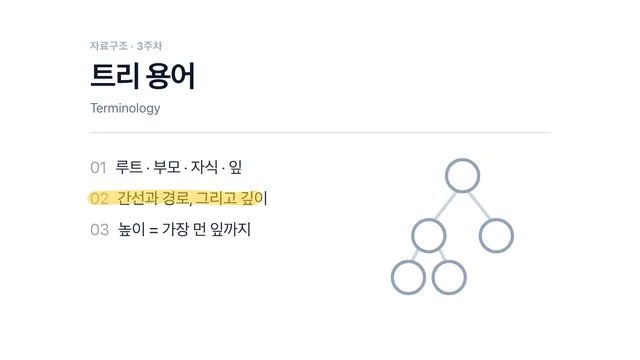
  3. Page 3, tree terminology. The second line is highlighted

    p.38:14

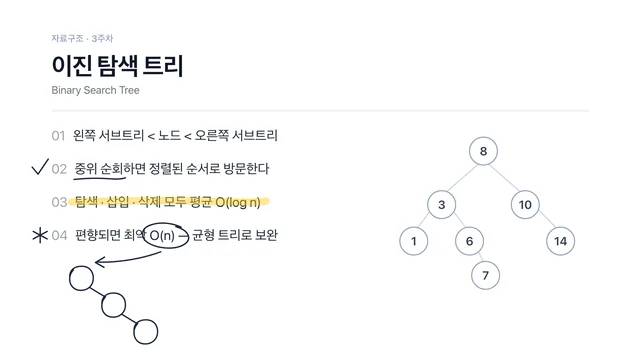
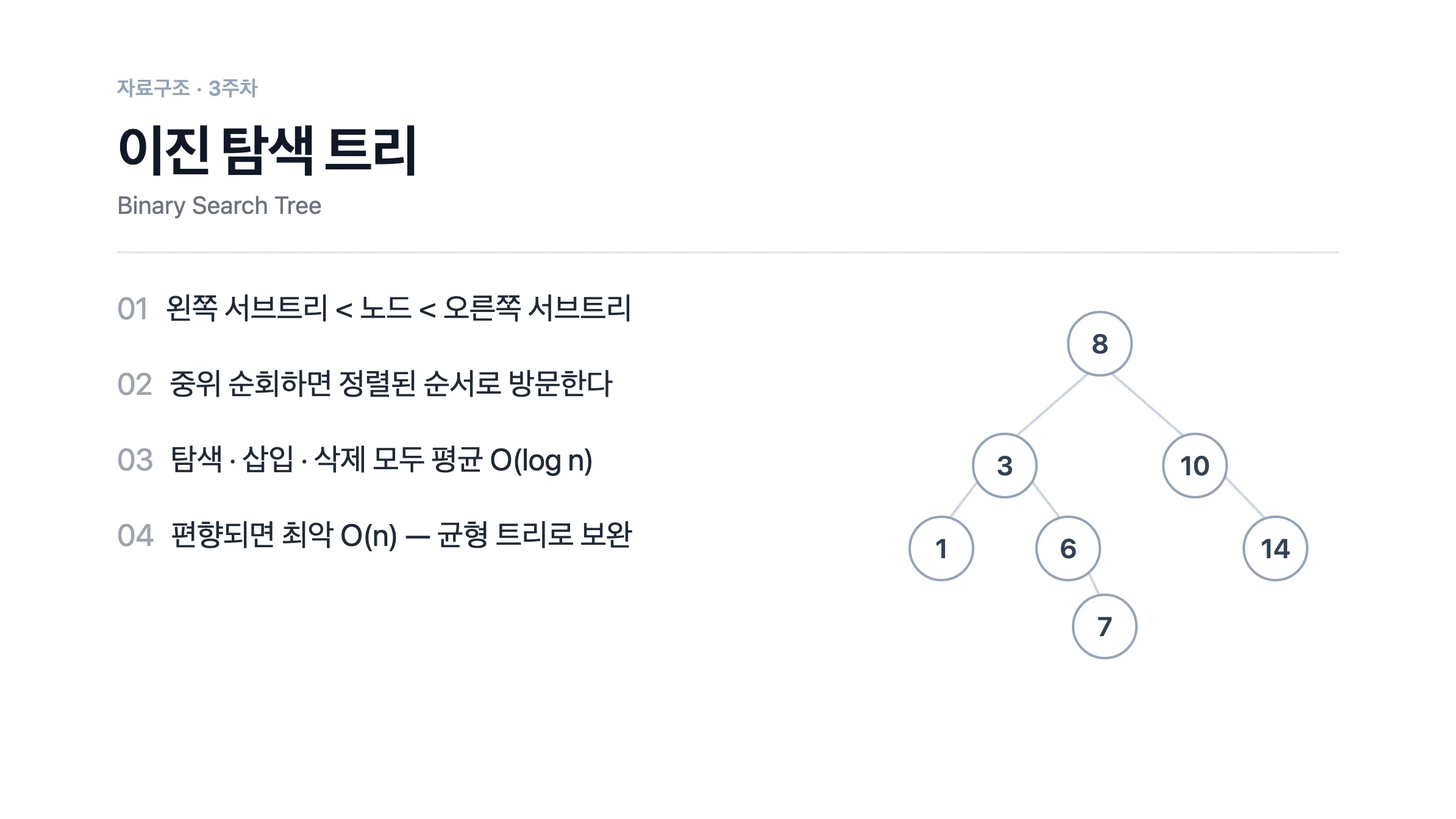
  4. Page 4, binary search trees. Annotated with check marks, underlines, highlights, stars and circles

    p.4Recording

Mark

Technical terms,
transcribed right

Industry-leading speech recognition. Jargon, symbols and formulas are transcribed exactly as your professor says them.

Typical voice notes

rozeta transcript

Data structuresso search drops to oh of log in
rozeta transcript: so search drops to O(log n)
Biologyas the ATP synthesis spins
rozeta transcript: as the ATP synthase spins
Linear algebrarun Graham Smith on these vectors
rozeta transcript: run Gram-Schmidt on these vectors
Statisticsset alpha to point oh five
rozeta transcript: set α to 0.05
Chemistryby la shatelier's principle
rozeta transcript: by Le Chatelier's principle
Economicsa cob Douglas production function
rozeta transcript: a Cobb-Douglas production function
  • Technical terms in your field's spelling
  • Terms said in another language stay in that language
  • Math, symbols and units in standard notation
  • Terms on your vocabulary list spelled your way

After class,
AI helps you review

Once you have a transcript, make explanations, translations, quizzes and an overview right from the recording.

Recordings split by page

Tap the page you want to hear again, and it plays from that point.

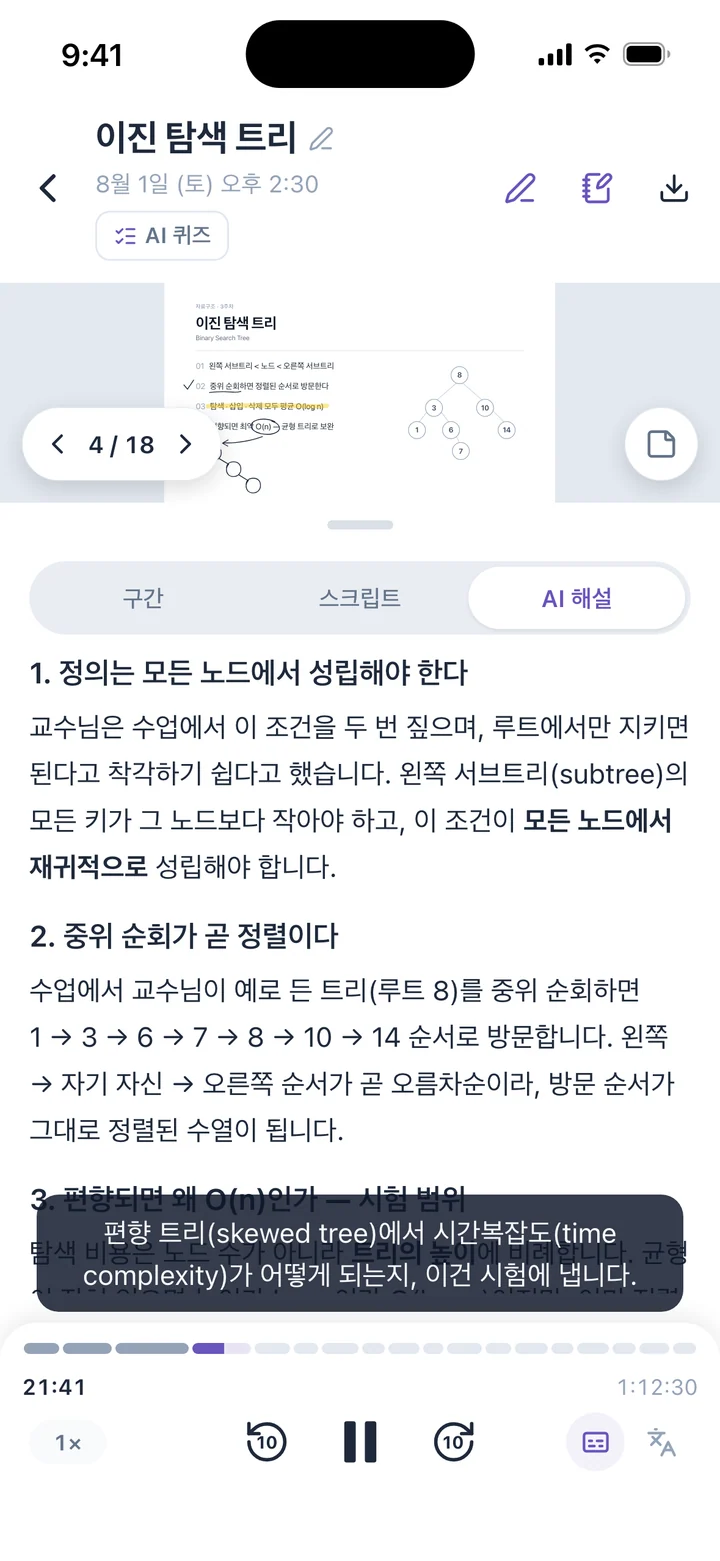
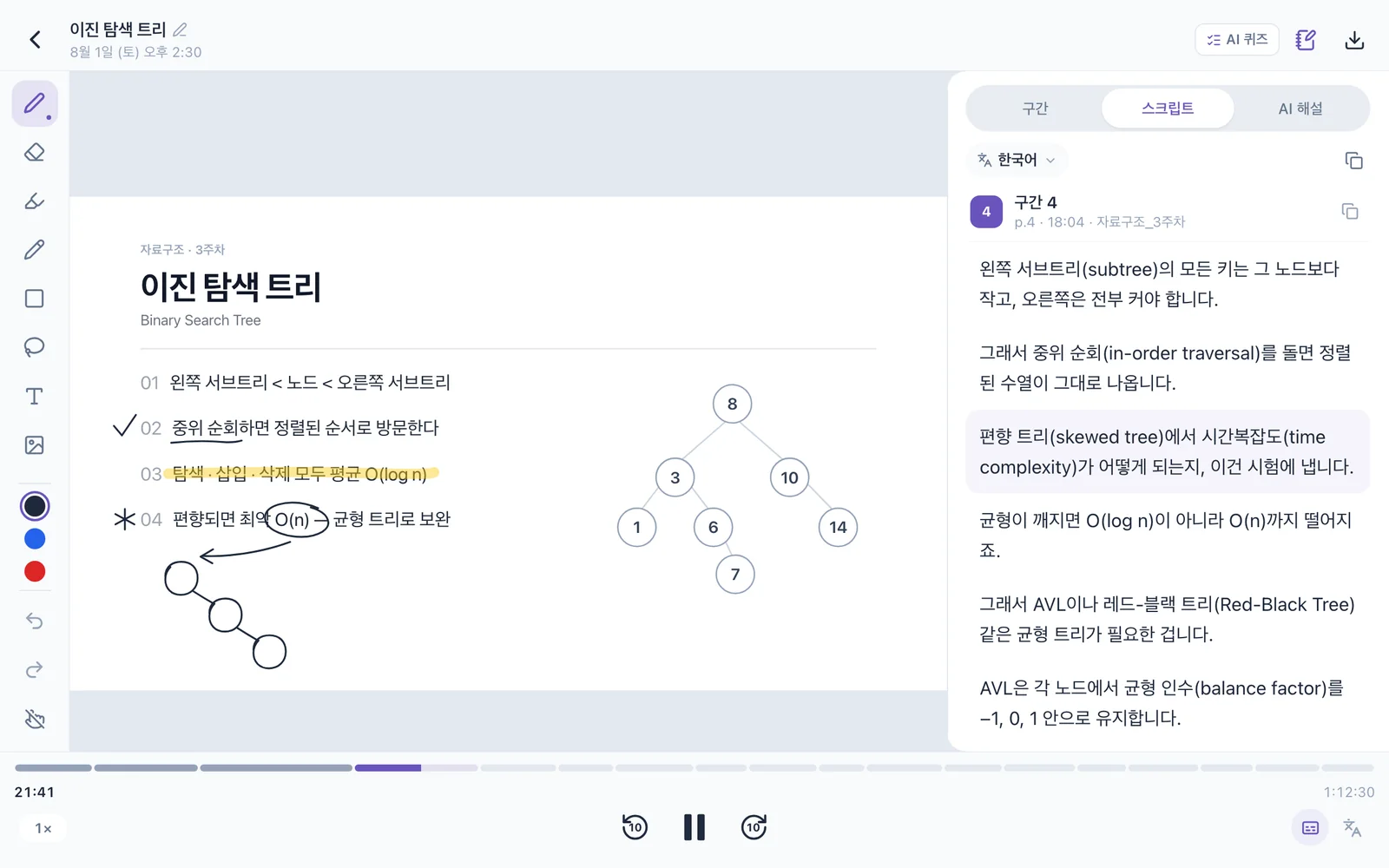
Segments tab showing 3 of 18 segments: p.3 from 09:50 to 18:04 with the memo “3 conditions in the definition, must hold at every node. Professor stressed it twice”, p.4 from 18:04 to 24:47, now playing, and p.5 from 24:47 to 28:58.
Captions during playback: what the time complexity is in a skewed tree. This will be on the exam.

AI explanations
based on your lecture

Not just the slides. Explanations build on what your professor explained and stressed in class.

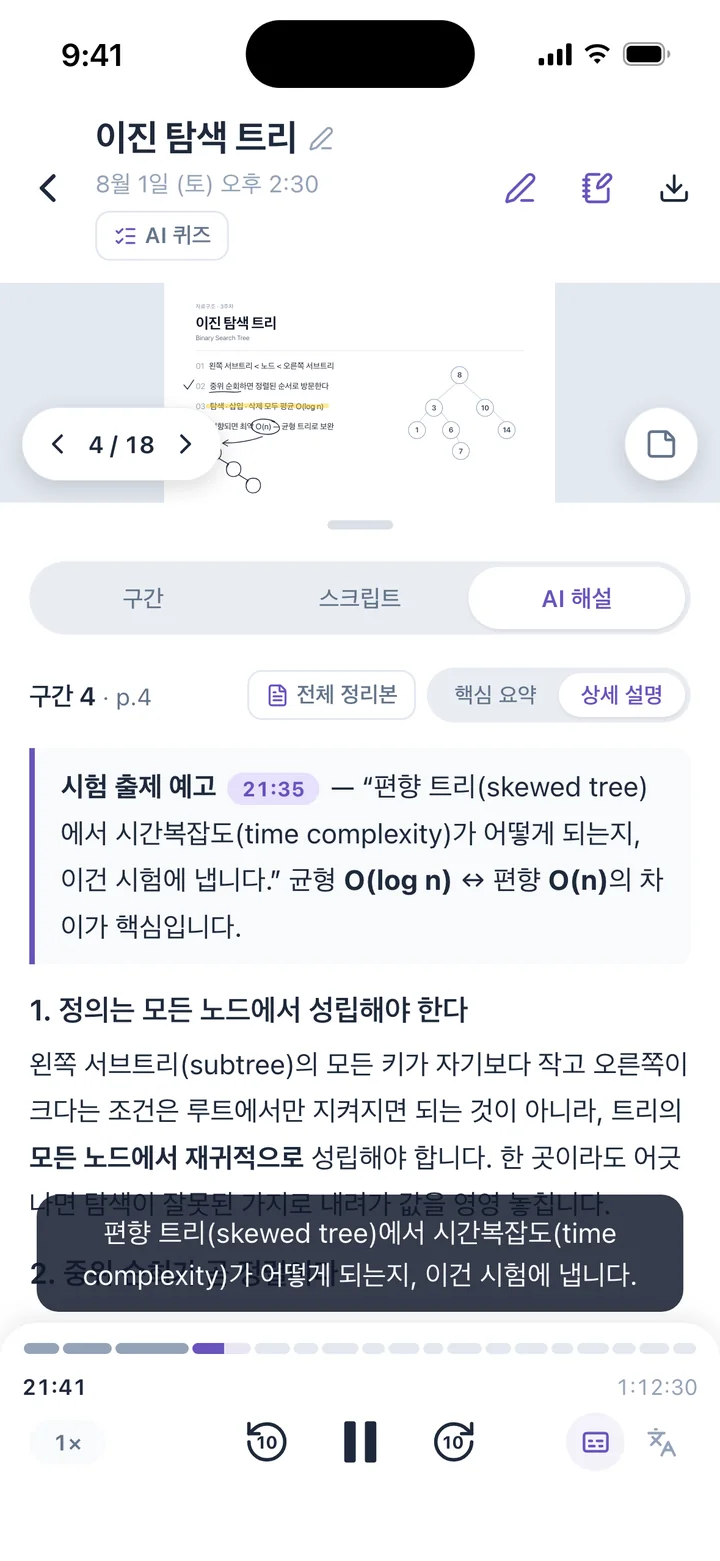
The AI explanation tab of a recording on iPhone, showing the details for segment 4.
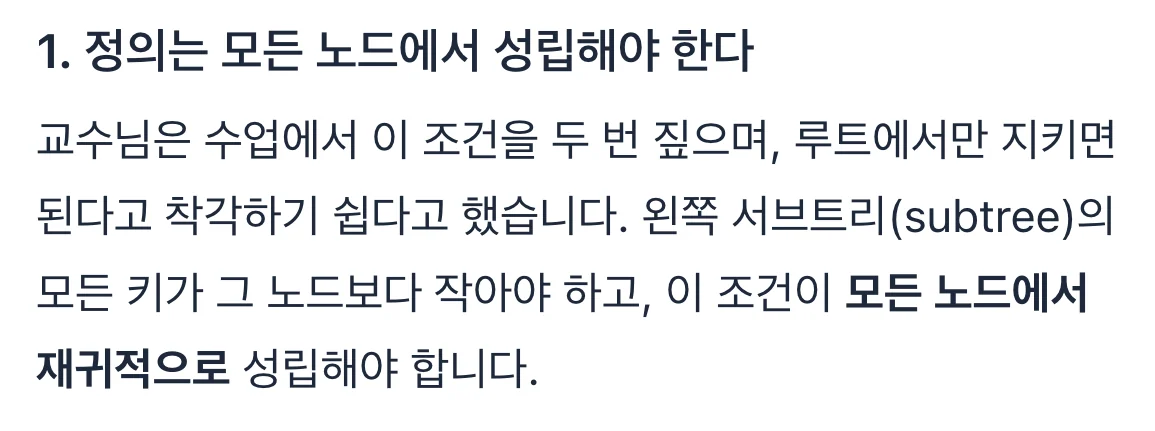
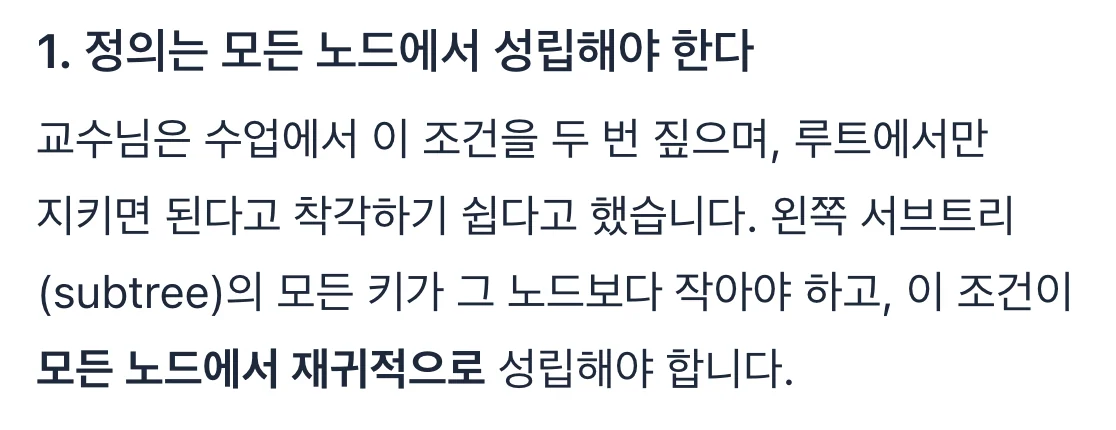
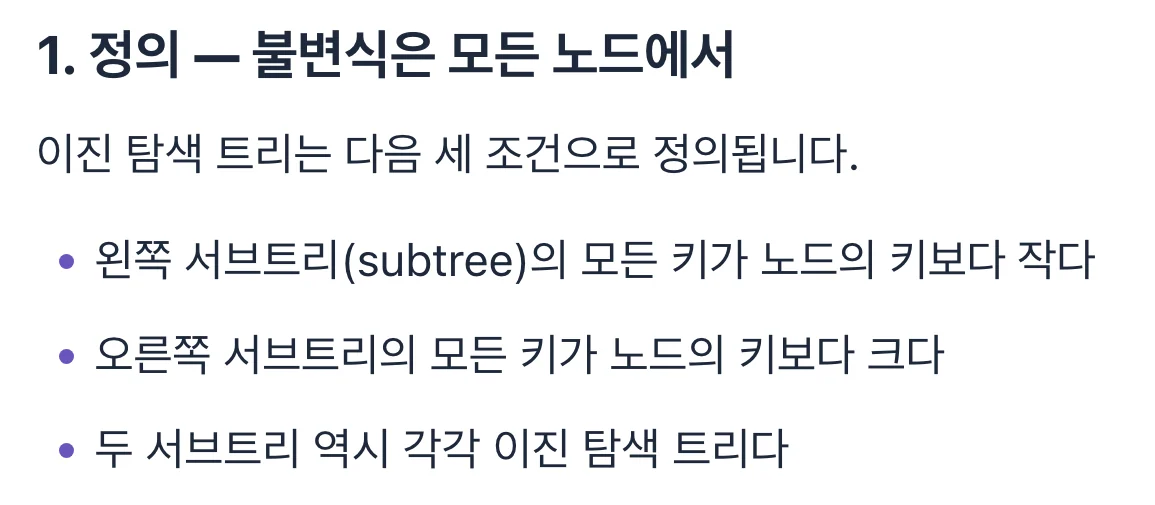
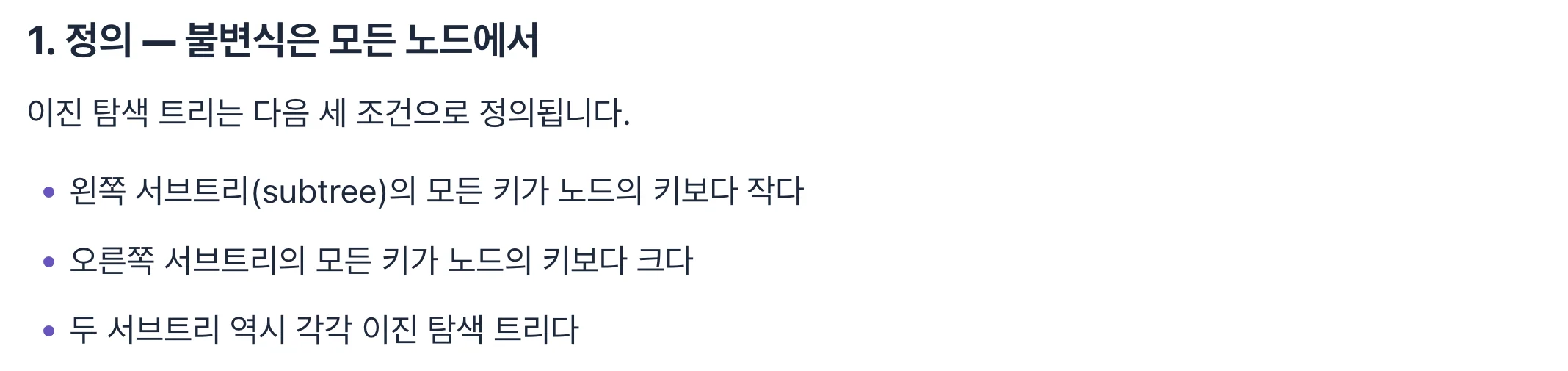
Explanation 1. The definition must hold at every node. The professor pointed this out twice in class, saying it's easy to think it only has to hold at the root. Every key in the left subtree must be smaller than the node, and this must hold recursively at every node.
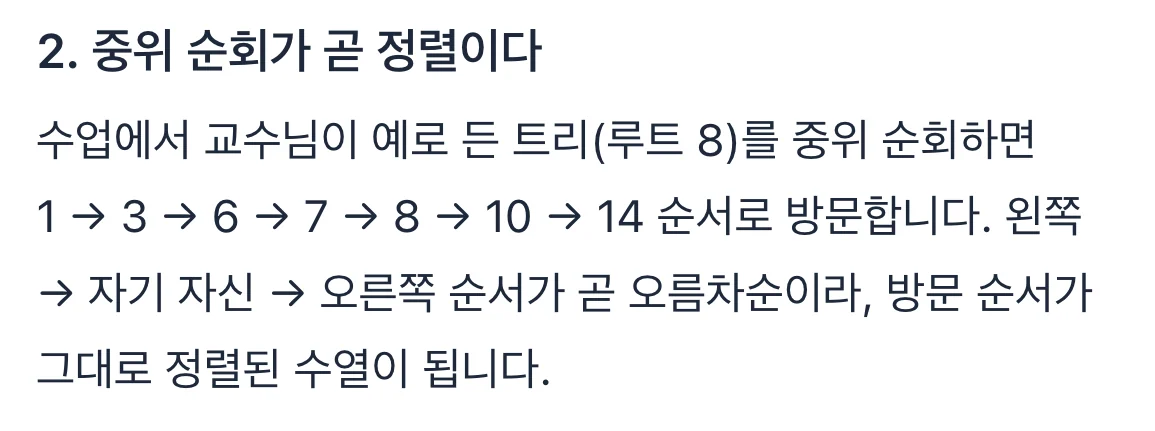
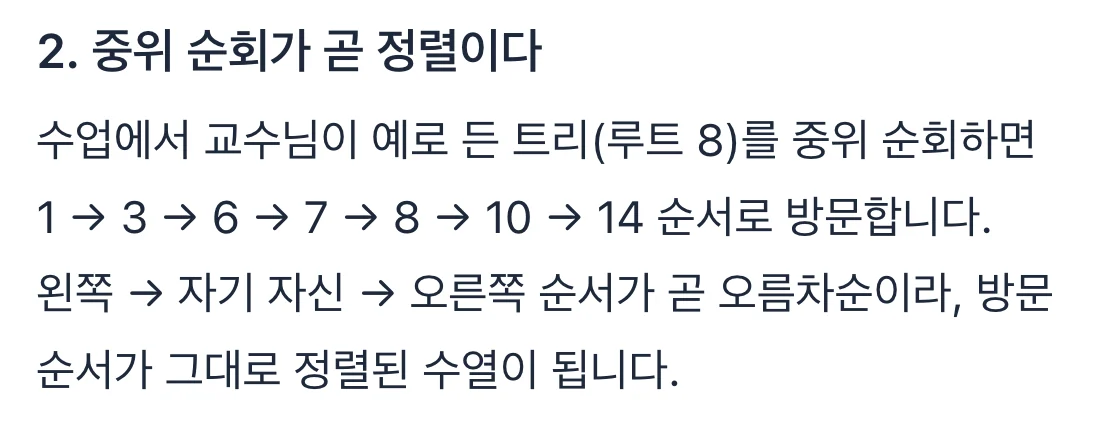
Explanation 2. In-order traversal is sorting. An in-order traversal of the tree the professor used in class (root 8) visits 1, 3, 6, 7, 8, 10, 14. Left, self, right is ascending order, so the visit order is the sorted sequence.
The AI explanation tab of a recording on iPad, showing the details for segment 4.
Explanation 1. The definition must hold at every node. The professor pointed this out twice in class, saying it's easy to think it only has to hold at the root. Every key in the left subtree must be smaller than the node, and this must hold recursively at every node.
Explanation 2. In-order traversal is sorting. An in-order traversal of the tree the professor used in class (root 8) visits 1, 3, 6, 7, 8, 10, 14. Left, self, right is ascending order, so the visit order is the sorted sequence.

Review any lecture
in your language

Whatever language the class is in, rozeta translates the transcript for you.

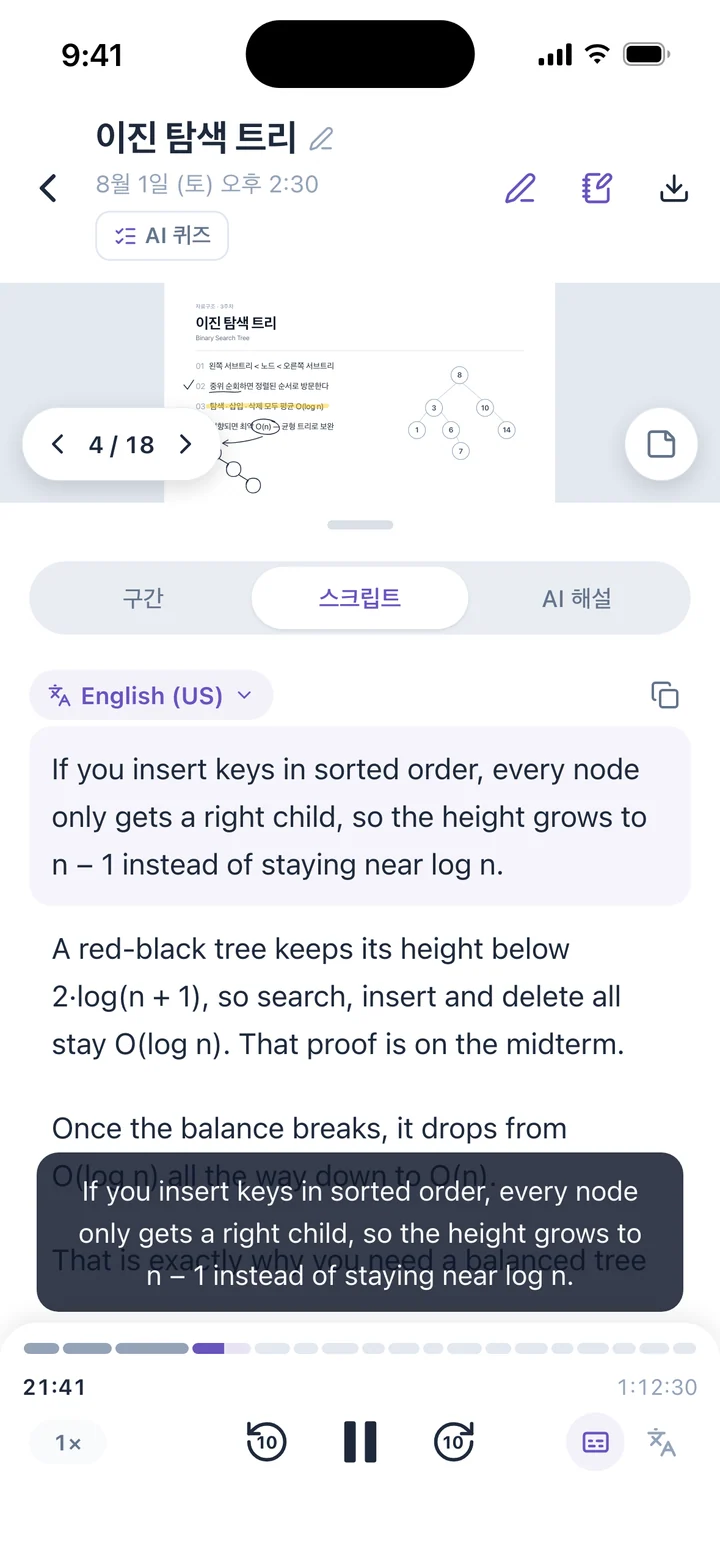
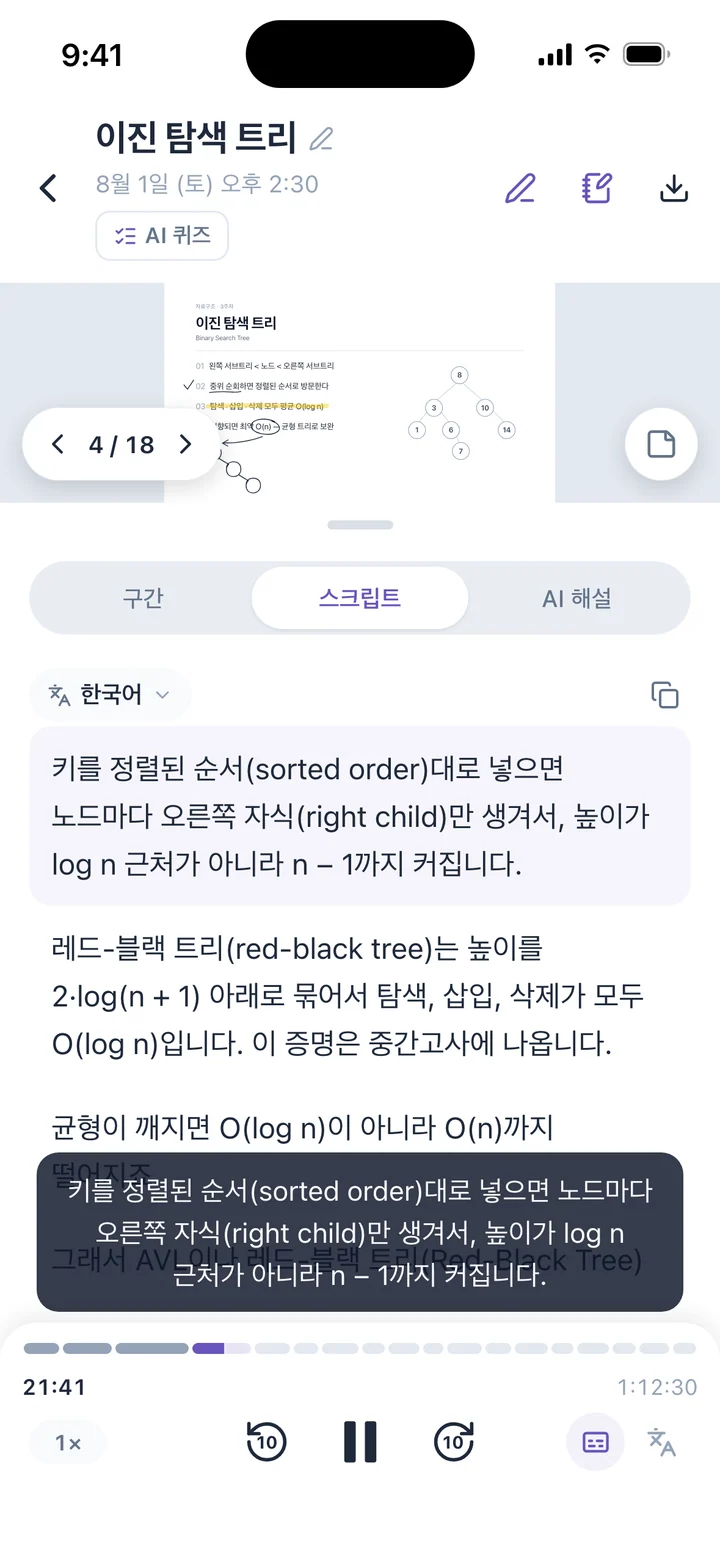
The Transcript tab of a recording on iPhone, translated into Korean.
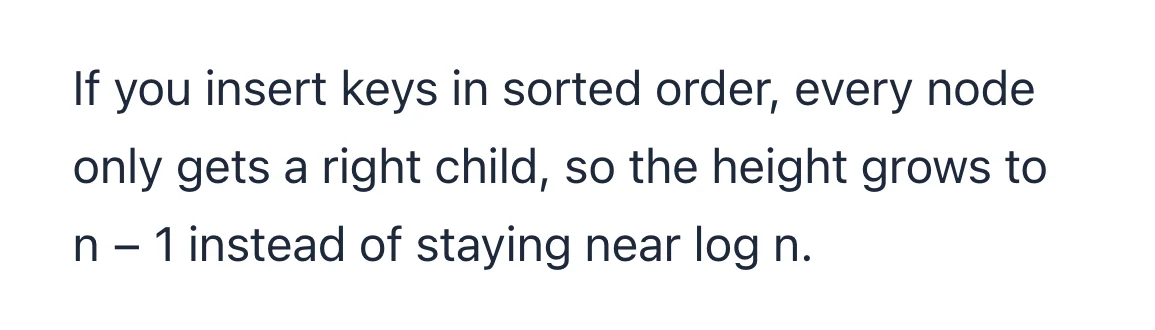
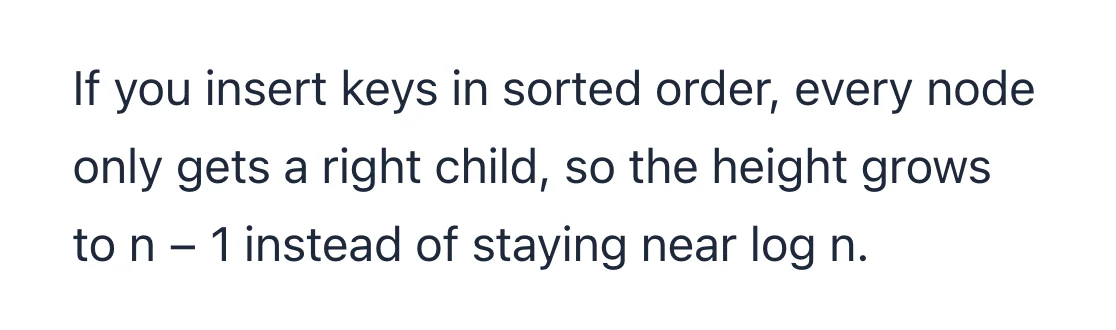
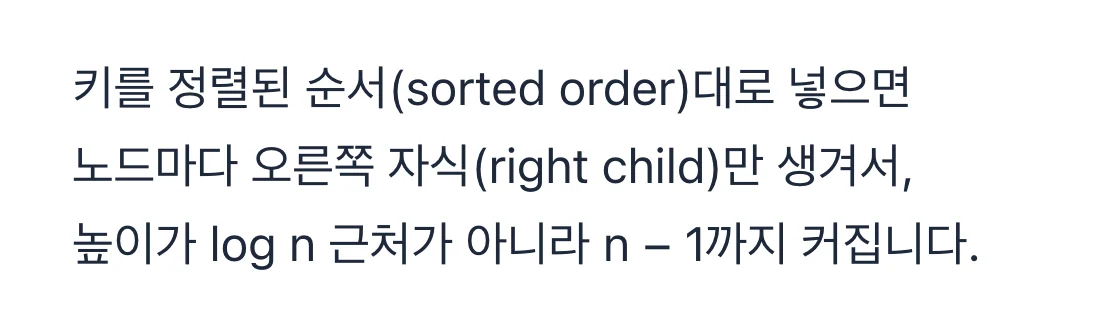
Original English. If you insert keys in sorted order, every node only gets a right child, so the height grows to n − 1 instead of staying near log n.
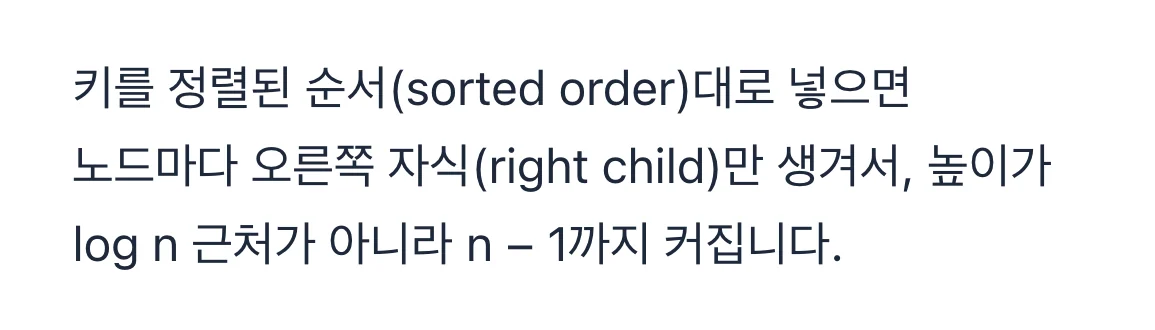
The same line translated into Korean.
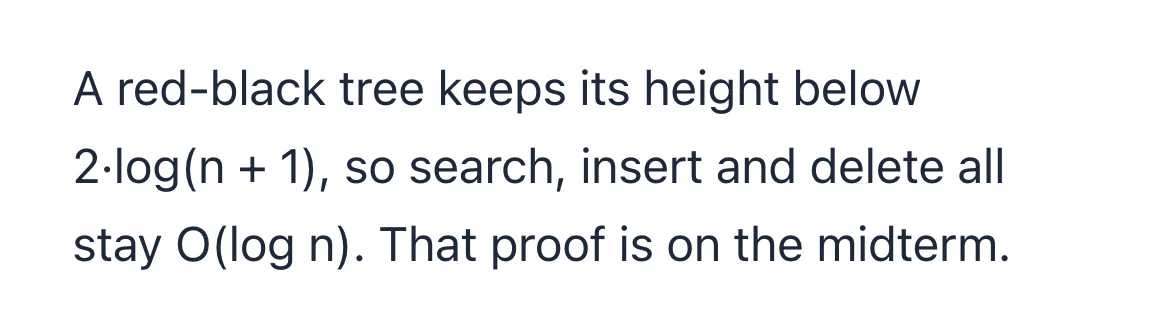
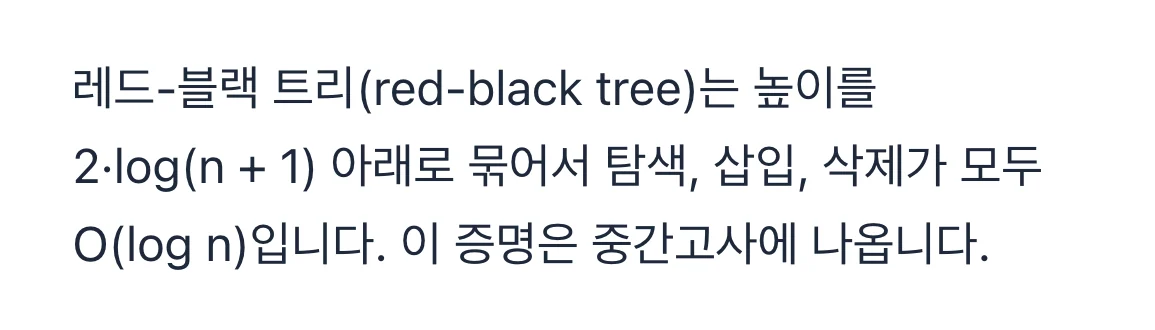
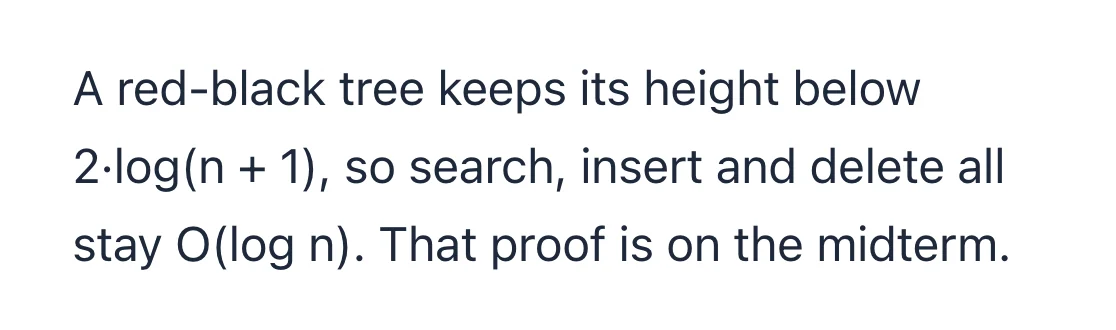
Original English. A red-black tree keeps its height below 2·log(n + 1), so search, insert and delete all stay O(log n). That proof is on the midterm.
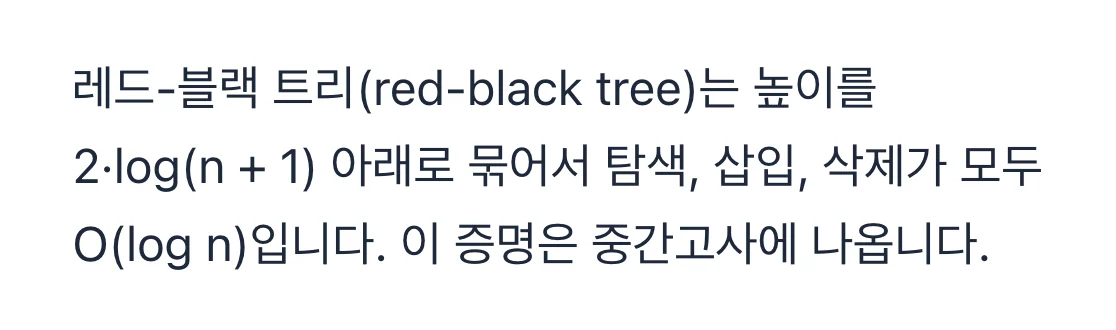
The same line translated into Korean.
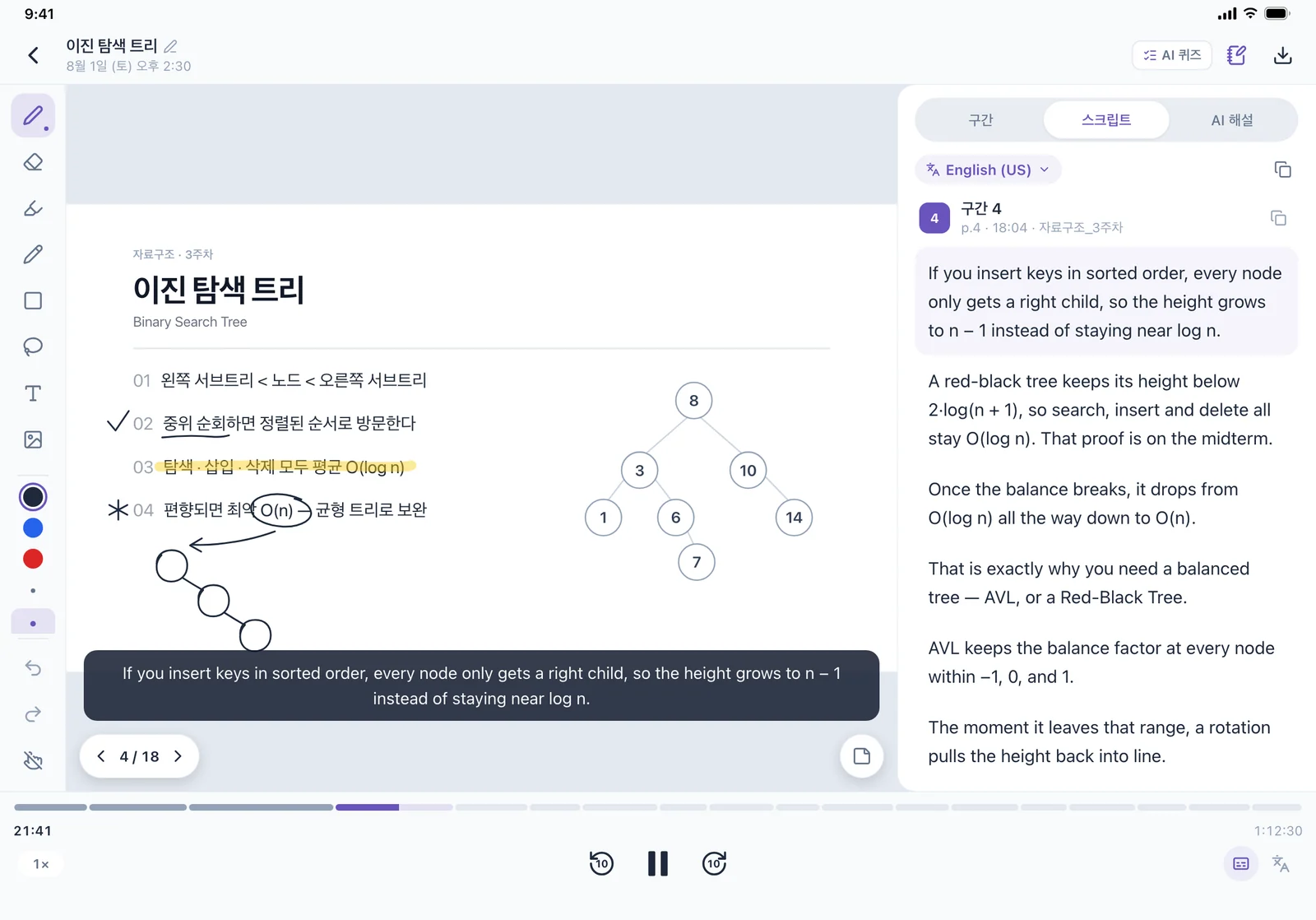
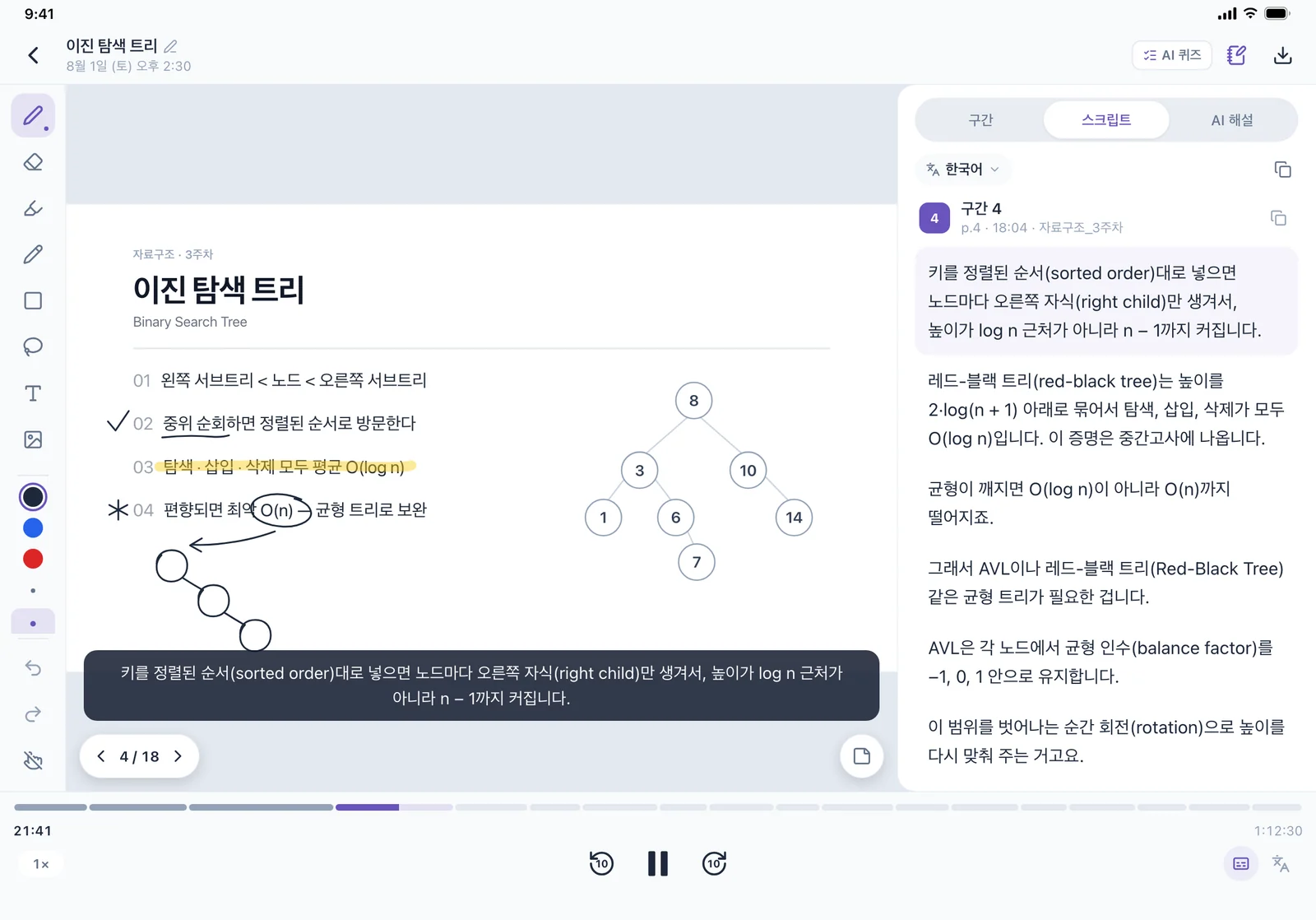
The Transcript tab of a recording on iPad, translated into Korean.
Original English. If you insert keys in sorted order, every node only gets a right child, so the height grows to n − 1 instead of staying near log n.
The same line translated into Korean.
Original English. A red-black tree keeps its height below 2·log(n + 1), so search, insert and delete all stay O(log n). That proof is on the midterm.
The same line translated into Korean.

Before the exam,
overviews and quizzes

Each lecture becomes one overview, and quizzes come from what was covered in class.
Missed one? Replay that part.

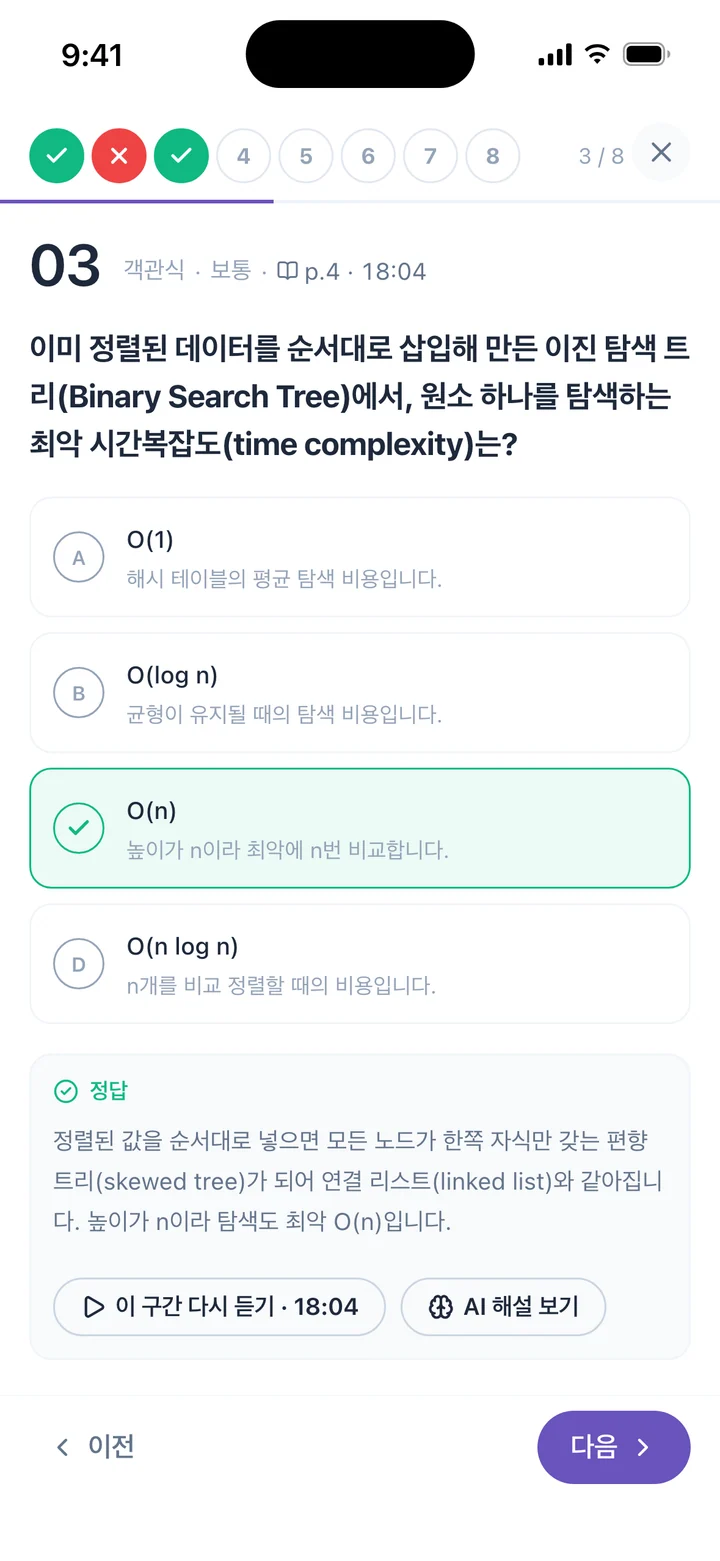
The AI quiz on iPhone, question 3.
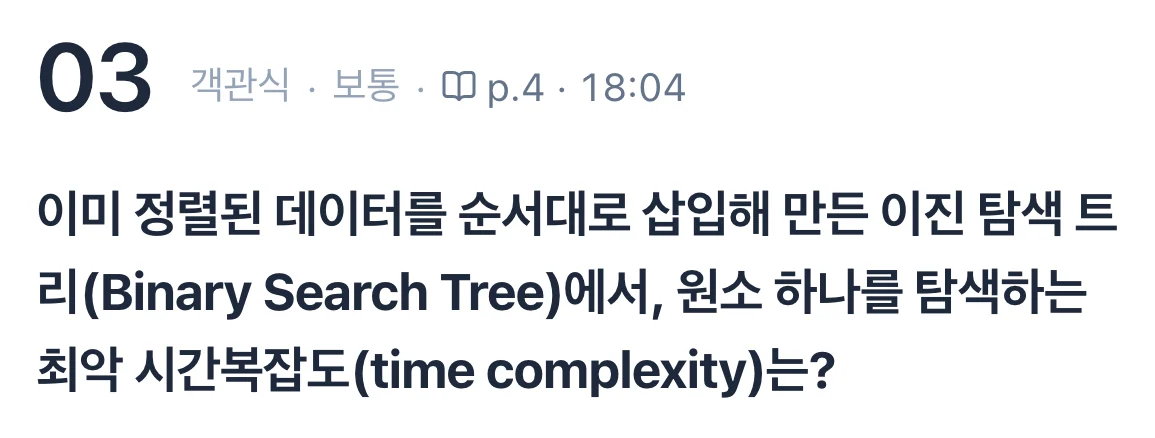
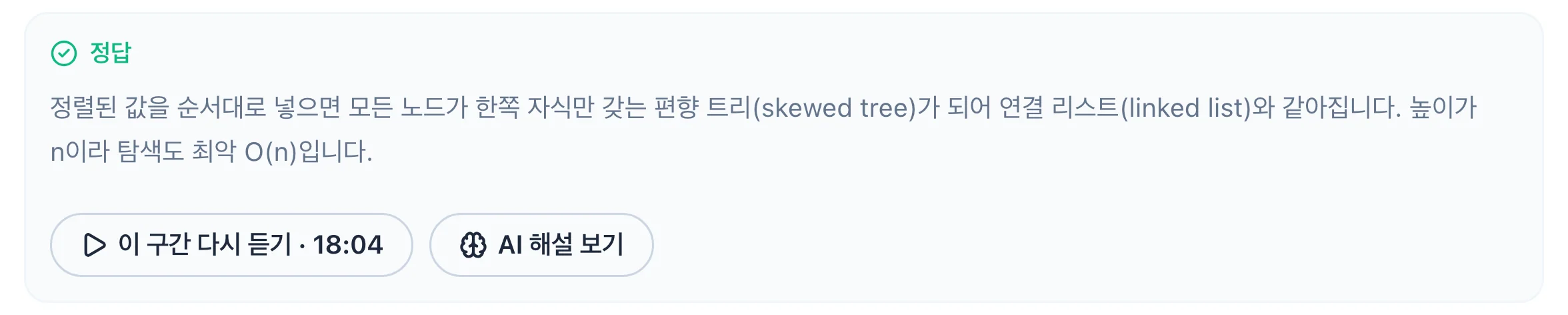
Quiz question 3. In a binary search tree built by inserting already sorted data in order, what is the worst-case time complexity of searching for one element?
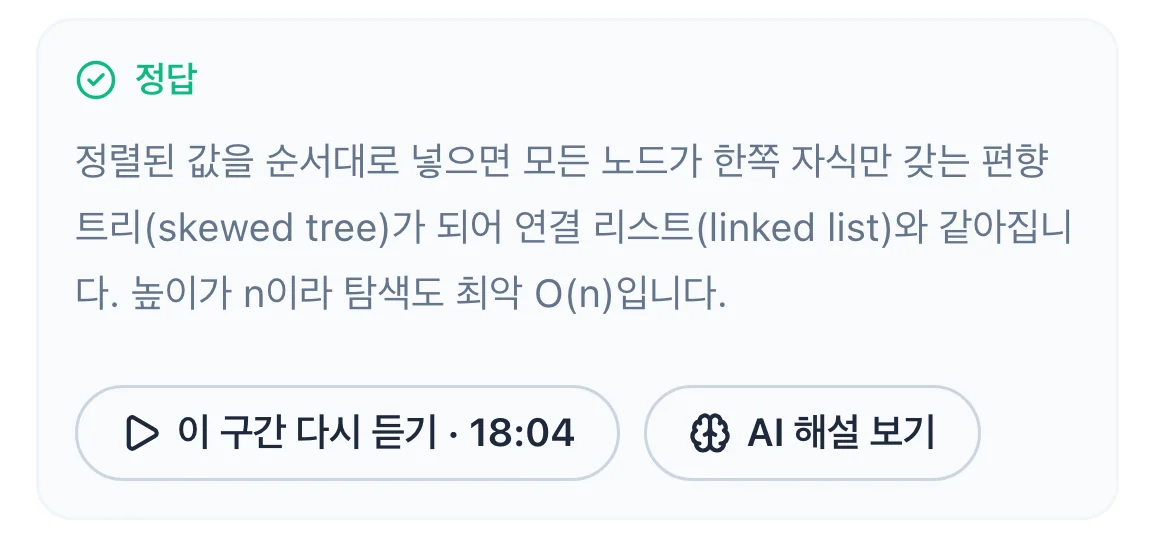
Explanation. Inserting sorted values in order gives a skewed tree where every node has a child on only one side, so it becomes the same as a linked list. The height is n, so search is O(n) in the worst case. Below are the source slide (p.4, 18:04) and a Listen button.
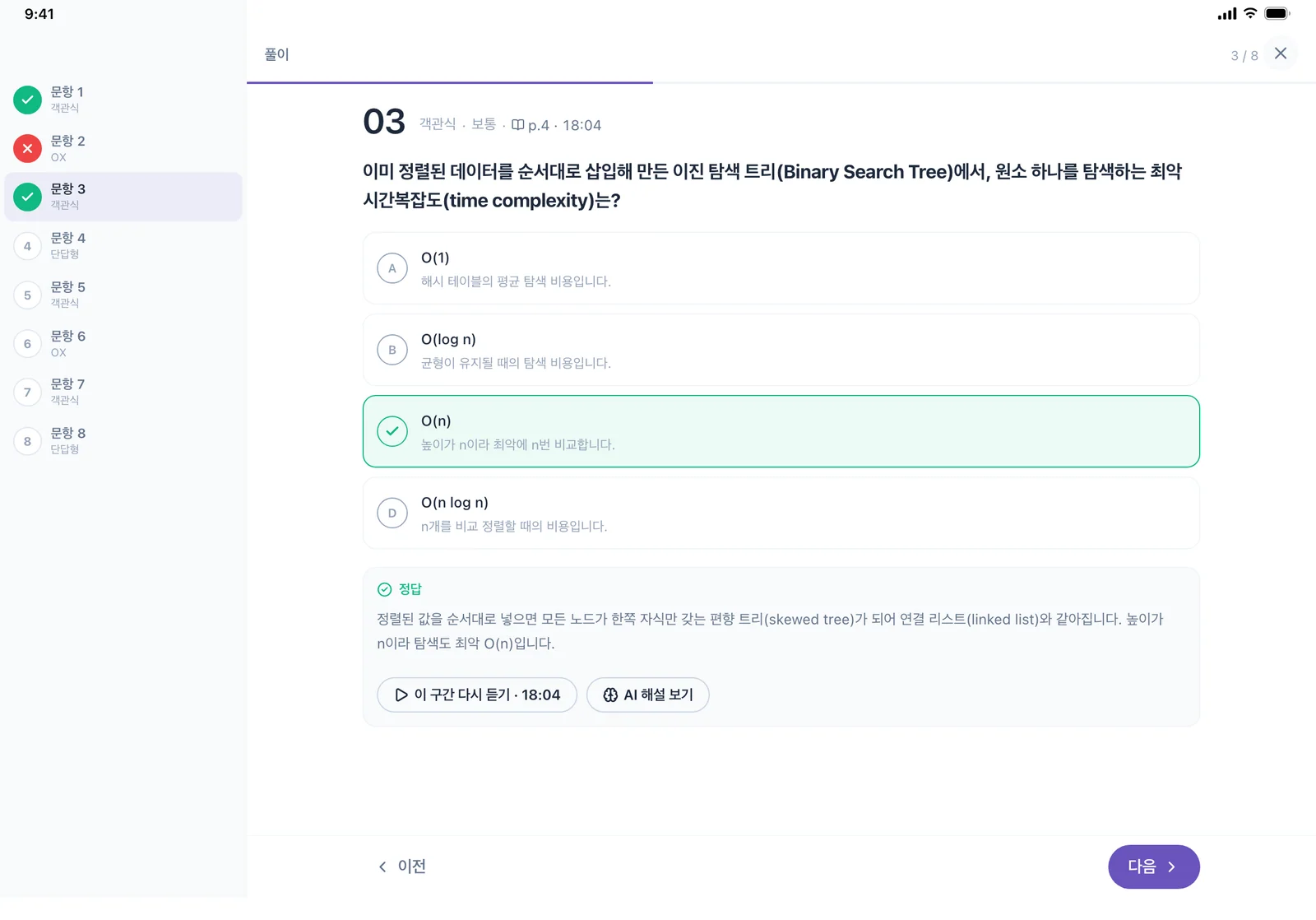
The AI quiz on iPad, question 3.
Quiz question 3. In a binary search tree built by inserting already sorted data in order, what is the worst-case time complexity of searching for one element?
Explanation. Inserting sorted values in order gives a skewed tree where every node has a child on only one side, so it becomes the same as a linked list. The height is n, so search is O(n) in the worst case. Below are the source slide (p.4, 18:04) and a Listen button.

Premium note-taking

Writing that feels right

Responds to Apple Pencil and S Pen pressure, with no lag.
Pen, highlighter, shapes, lasso and text tools, plus 8 paper types.

An annotated lecture slide with check marks, underlines, yellow highlights, stars, circles and a sketch of a skewed tree.

Pick up on any device

Notes and recordings are saved to the cloud. Open them on iPad, Galaxy Tab, your phone or the web, and keep listening from where you left off.

The rozeta recording screen in a laptop web browser. The Transcript tab sits next to the annotated page 4 slide, and the playback bar at the bottom is split into segments.
A rozeta note on iPad, with handwriting on the same page 4 slide.
The AI explanation tab of a rozeta recording on iPhone.

Real user reviews

  • 4.7App Store
  • 5.0Google Play
  • The accuracy is insane

    It catches everything and writes it all down
    The best app for college students

    인사운영처 만세 · Apr 11, 2026Translated from Korean
  • Really good. How good? Really, really good

    I've tried a lot of other apps for my major classes, and this one is really good.. I'm an econ major, so I need a lot of formulas, and it handles all of them. It even makes it easy to study everything my professor explains about economics in English! If I'd studied with this app since freshman year, I would have been top of my major. That's how capable it is!!!

    신촌뒷골목미친너구리 · Apr 8, 2026Translated from Korean
  • The most flawless speech recognition I've seen lately

    It recognizes technical terms far better than other apps! … I was surprised to see how accurately it picked things up. I think I'm settling here for good..!

    L4tte4today · Apr 2, 2026Translated from Korean
  • Love it

    My professor's slides and the audio files are linked almost perfectly, so while re-listening to a lecture I could check the matching slide right away, which made reviewing especially easy. It feels much easier to understand than just listening to a recording. I can also mark up and edit my handwritten notes, so it was great for organizing things while listening to lectures.

    아놀드카더브레인 · Sep 6, 2026Translated from Korean
  • An AI recording app that recognizes speech well

    I've used other recording apps, but I've never seen one that recognizes speech and writes it down as well as this one, so I keep using it. … It sums up the important points for each slide and catches what the professor emphasized, so I can study efficiently during exam season. I use it a lot.

    boy&&girl · Apr 5, 2026Translated from Korean
  • Good

    There weren't many reviews, so I installed it out of curiosity. It has all the features of other lecture recording apps plus AI analysis and summaries, so it's great for studying without ChatGPT. Amazing.

    탐사하는고라니 · May 11, 2026Translated from Korean
  • Good, but a few things need work

    … Other than that, it's honestly a revolution… When I write, there's practically no latency, on par with Samsung Notes. Thank you so much for making an app like this.

    응우옌ㄴ · Aug 31, 2026Translated from Korean

A plan that fits you

Every plan has the same features.
Only your monthly AI credits and storage differ.

Free

Free

  • 800 AI credits every month
  • About 1 hour 40 minutes of lecture transcripts
  • 2 GB of storage

Plus

₩9,900 / month

  • 6,000 AI credits every month
  • About 12 hours of lecture transcripts
  • 10 GB of storage

Pro

₩15,900 / month

  • 11,000 AI credits every month
  • About 22 hours of lecture transcripts
  • 30 GB of storage

Max

₩21,900 / month

  • 18,000 AI credits every month
  • About 37 hours of lecture transcripts
  • 50 GB of storage

Web prices · VAT included · Transcript time assumes you only make transcripts.

Frequently asked questions

Which devices can I use it on?

Get it on the App Store for iPad and iPhone, or on Google Play for Galaxy Tab and Android phones. On a computer, just use rozeta.io. To record on the web, use Chrome or Edge.

How do I add my lecture slides?

Import your slides as a PDF and write on any page right away. You can also share them from another app. For classes without slides, start with a blank, lined or grid note.

How do credits work?

Credits go toward AI transcripts, explanations, translations and quizzes. For a 60-minute lecture, a transcript takes 480 credits and explanations for 15 slides take about 380. You'll see the cost before you make anything, and your credits refill every month based on your plan.
What about lectures in other languages?

Each lecture is transcribed in the language it's taught in, and you can translate the whole transcript. Translations and AI explanations are available in English, Korean, Japanese, Chinese, Spanish, French and German.

Where are my recordings and notes stored?

In your account, so you see the same notes and recordings on any device. Storage depends on your plan: Free 2 GB, Plus 10 GB, Pro 30 GB, Max 50 GB.

Is it OK to record my classes?

Check your school's rules and your professor's policy before you record. Use recordings and course materials only for your own studying, and don't post or share them anywhere.

Bring rozeta
to your next lecture

Just take notes and record. rozeta handles the rest.